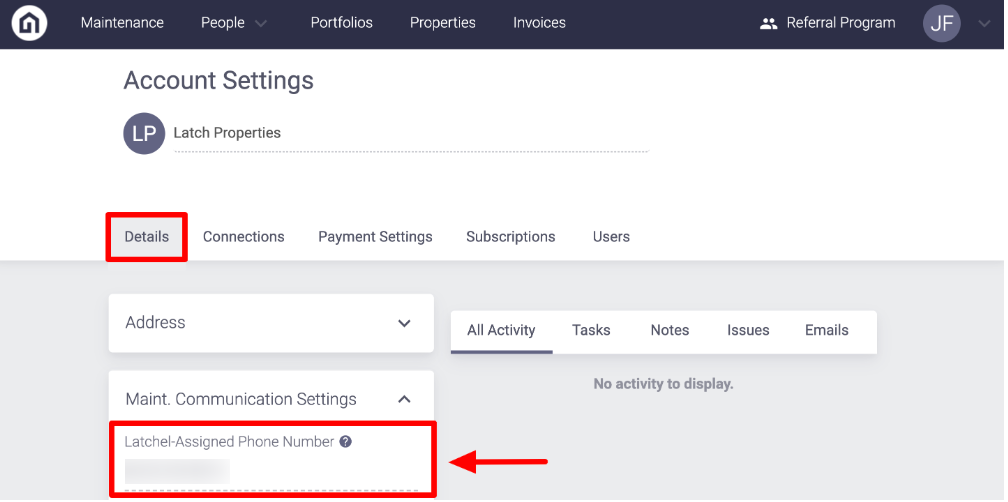
Latchel generates a phone number for you to give out to your residents directly or if you have a phone system already, to direct maintenance to. As a Property Manager, you can call the phone number issued to you to create new emergency requests. Your residents may also call or text this phone number to create work orders, send in pictures, etc.
Content
- Objective
- Content
- Video Overview
- Step-by-Step Guide
Video Overview
Step-by-Step Guide
Step 1. Log in to Latchel
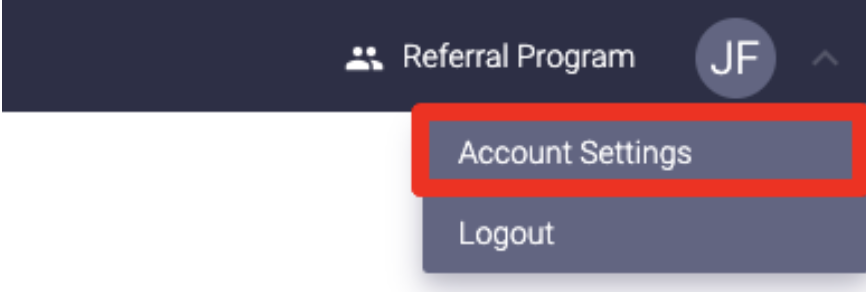
Step 2. Click on your initials or profile picture in the upper right-hand corner of the dashboard, select Account Settings.
Step 3. On the left-hand side of your page, click the drop-down for Maint. Communication Settings. There you will see the phone number Latchel has assigned to your account